Menu 4
Bible AI
Ask about Scripture or Davar material, then verify more than the answer text: check the answer class, inline citation numbers, source labels, and supporting excerpts. Account sign-in and an internet connection are required.
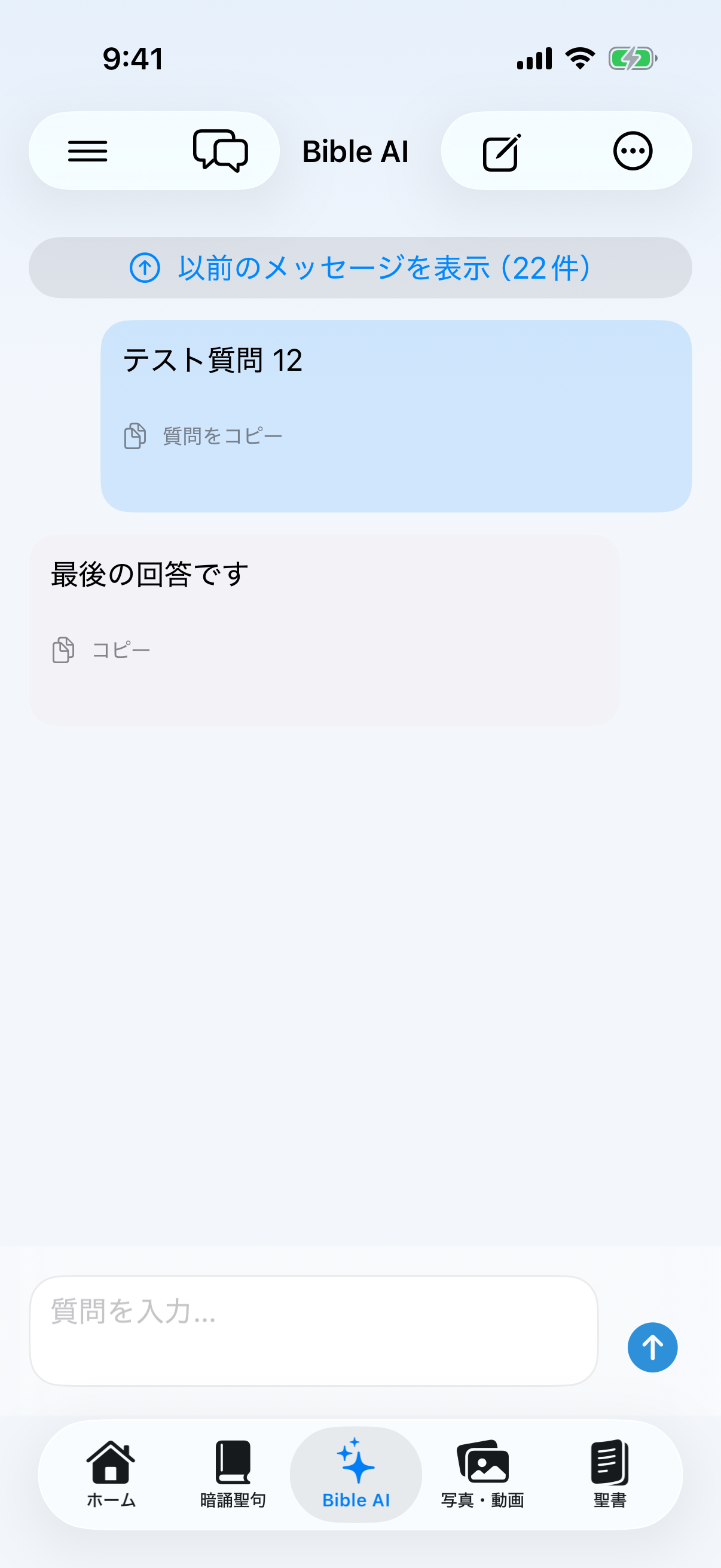
Ask and read an answer
- Sign in under Settings → Account, then open Bible AI from the bottom bar or menu.
- Enter one specific question. Add a Bible passage, sermon year, series name, or other clue when known.
- Tap the blue Send button and wait for the processing state to become a complete answer. A failed answer offers Retry.
- Read the answer classification first to distinguish Davar-verified material from a general answer, then inspect the retrieved References.
- Match [1] and [2] in the answer to the source names and supporting excerpts below it.
- Open cited Bible passages in Bible to check context, other translations, and original-language tools.
Start or switch conversations
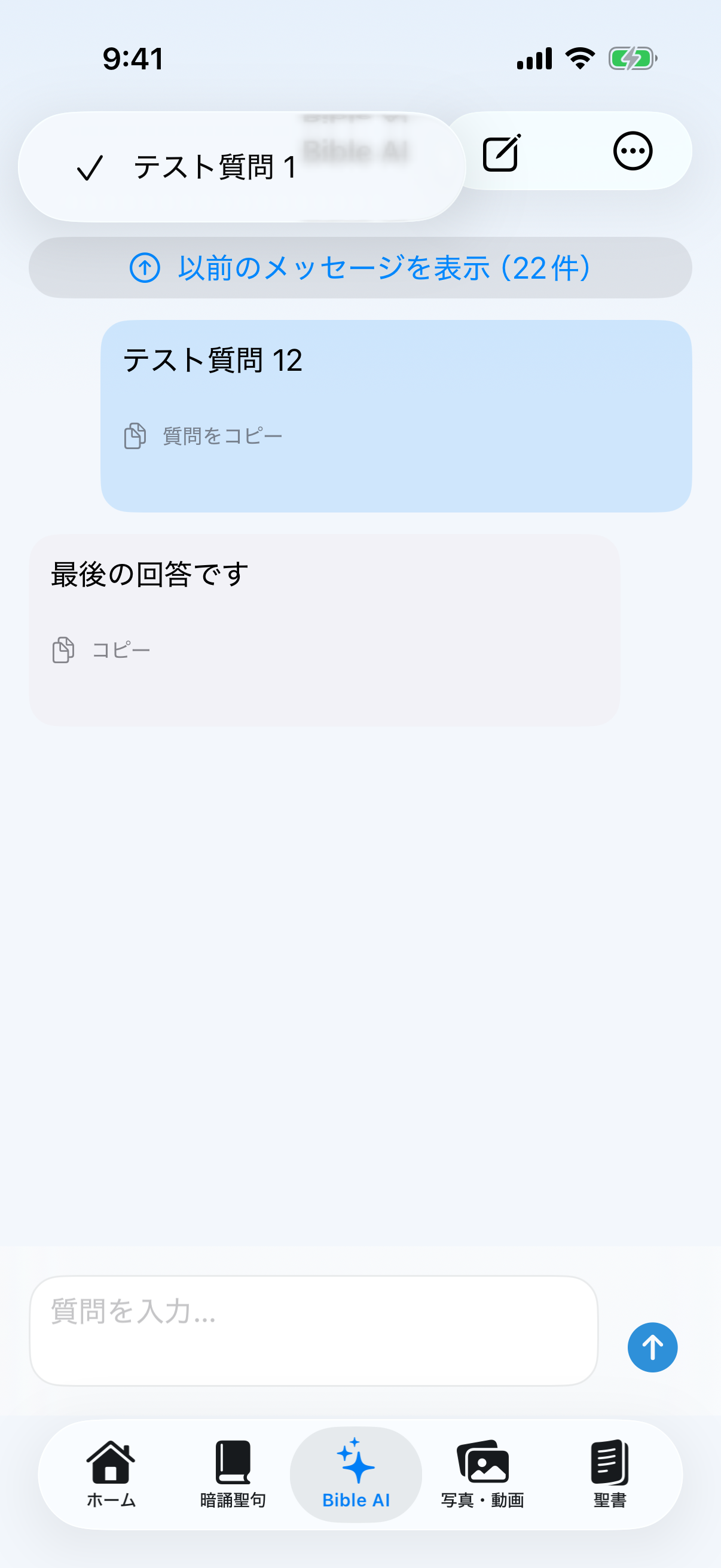
- Conversation bubblesOpen the saved-thread list and switch conversations. A checkmark identifies the active one.
- Square and pencilCreate a new conversation. Use it when the topic changes so context does not mix.
- Show earlier messagesLong threads render a bounded recent window; load older messages with the displayed count.
- LatestReturn to the newest answer after reading older parts of a thread.
Copy, share, and delete
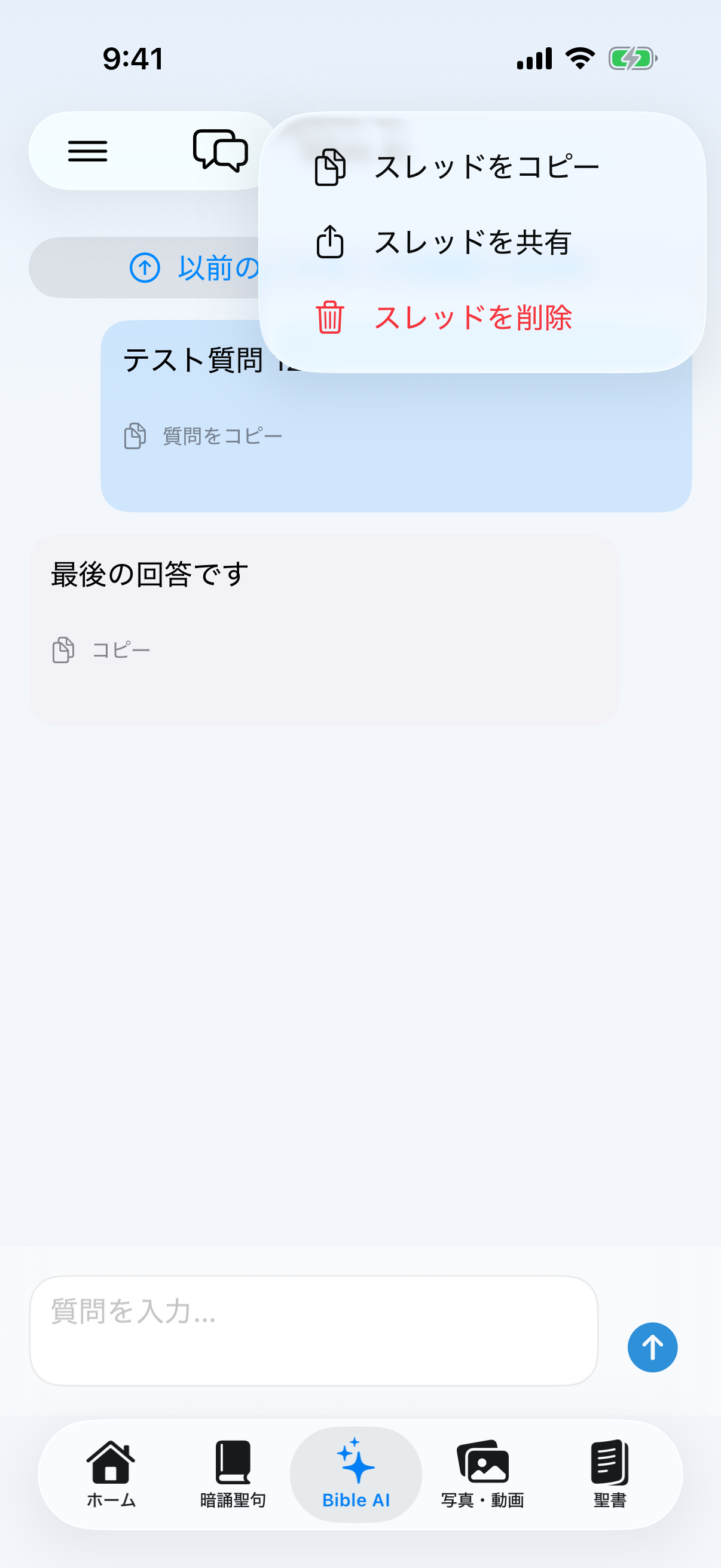
- Copy questionUse the action on a question card to copy only that question.
- Copy answer or exchangeThe answer copy menu can copy the answer alone or its question-and-answer pair. You can also select and copy only part of visible answer text.
- Copy or share conversationFrom the ellipsis menu, copy the entire thread—including source names and excerpts—or pass it to the iPhone share sheet.
- Delete conversationAfter confirmation, delete that thread from this device and synchronized recovery history. Do not use Delete as an archive action.
Check before relying on an answer
- Set the scopeInstead of “miracles,” ask “Explain the mechanism of miracles using Davar material.”
- Compare citationsIf a source is garbled, irrelevant, or conflicts with its excerpt, do not rely on the answer; report the problem.
- When material is missingFor Davar-specific teaching with no supporting material, the answer may identify itself as general or stop rather than guess.
- History and privacyTurn conversation-history saving on or off under Settings → Account. Do not enter names, contact details, health information, or confidential pastoral data.
Bible AI is a study aid. Do not treat an answer as a replacement for Scripture or original Davar material. Verify it with numbered evidence and the Bible reader.