MAC · STORAGE TOOLS
Understand the storage behind your videos.
On Mac, CloudDisk also helps you inspect bucket size, review existing lifecycle rules and find the prefixes using the most space.
See size, objects and estimated cost.
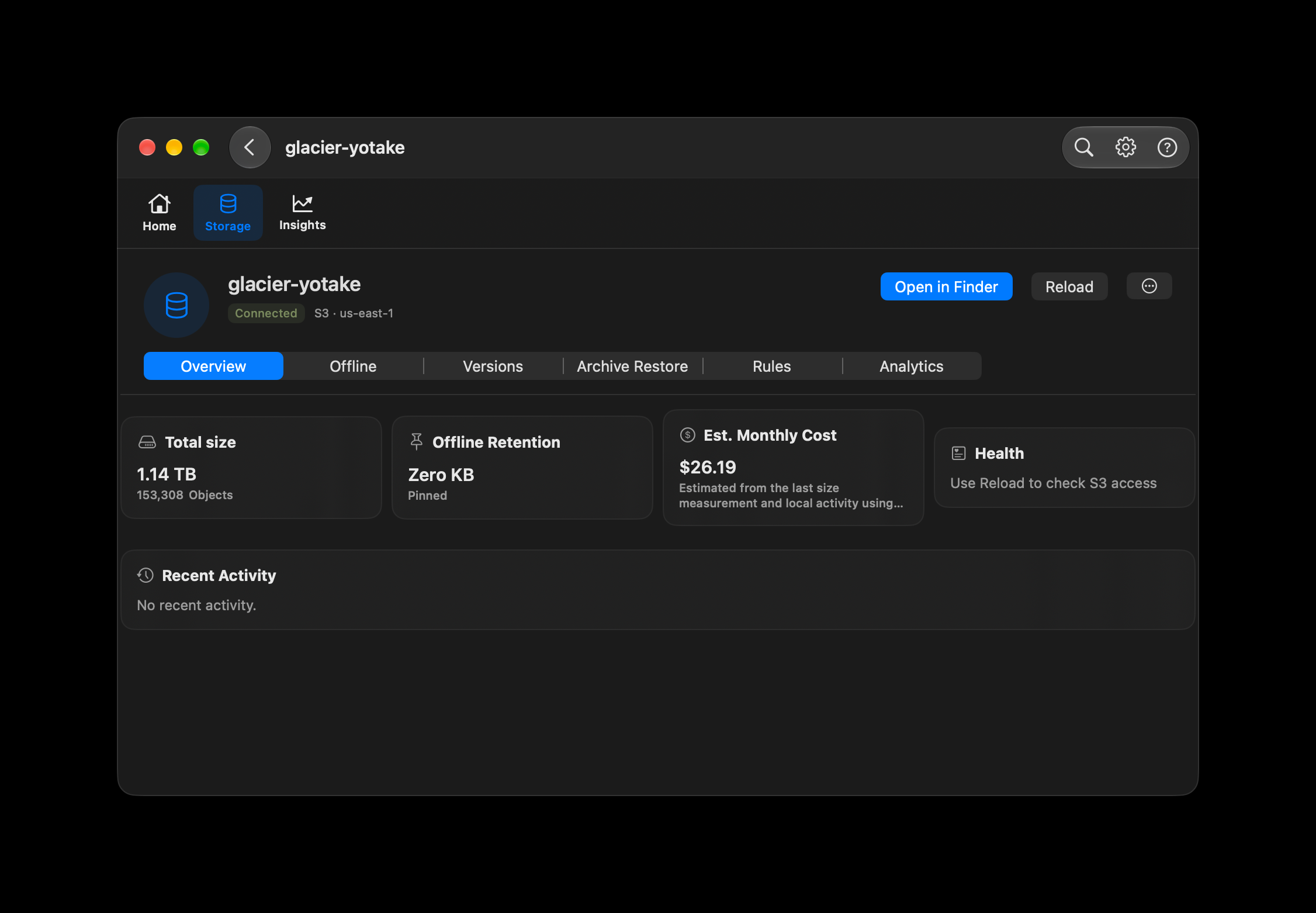
Overview puts the last measured bucket size and object count beside offline retention and an estimated monthly cost. The example shows 1.14 TB across 153,308 objects.
Read the size measurement
In CloudDisk, choose Storage, select a bucket and open Overview. Size and object count refer to the latest completed metadata scan, rather than a live count of every change.
Read Offline Retention correctly
The Zero KB / Pinned value represents locally available files marked to stay offline. It does not mean all local copies, player buffers or caches occupy zero space.
Distinguish estimate from bill
The $26.19 example uses the STANDARD us-east-1 storage rate. Overview may also include recorded local request and transfer activity. It is not the actual provider bill or a Glacier Deep Archive price, and does not guarantee savings.
Check the status wording
Health is not checked in this screenshot. This image does not establish S3 reachability or an overall health score.
Review the rules already in your bucket.
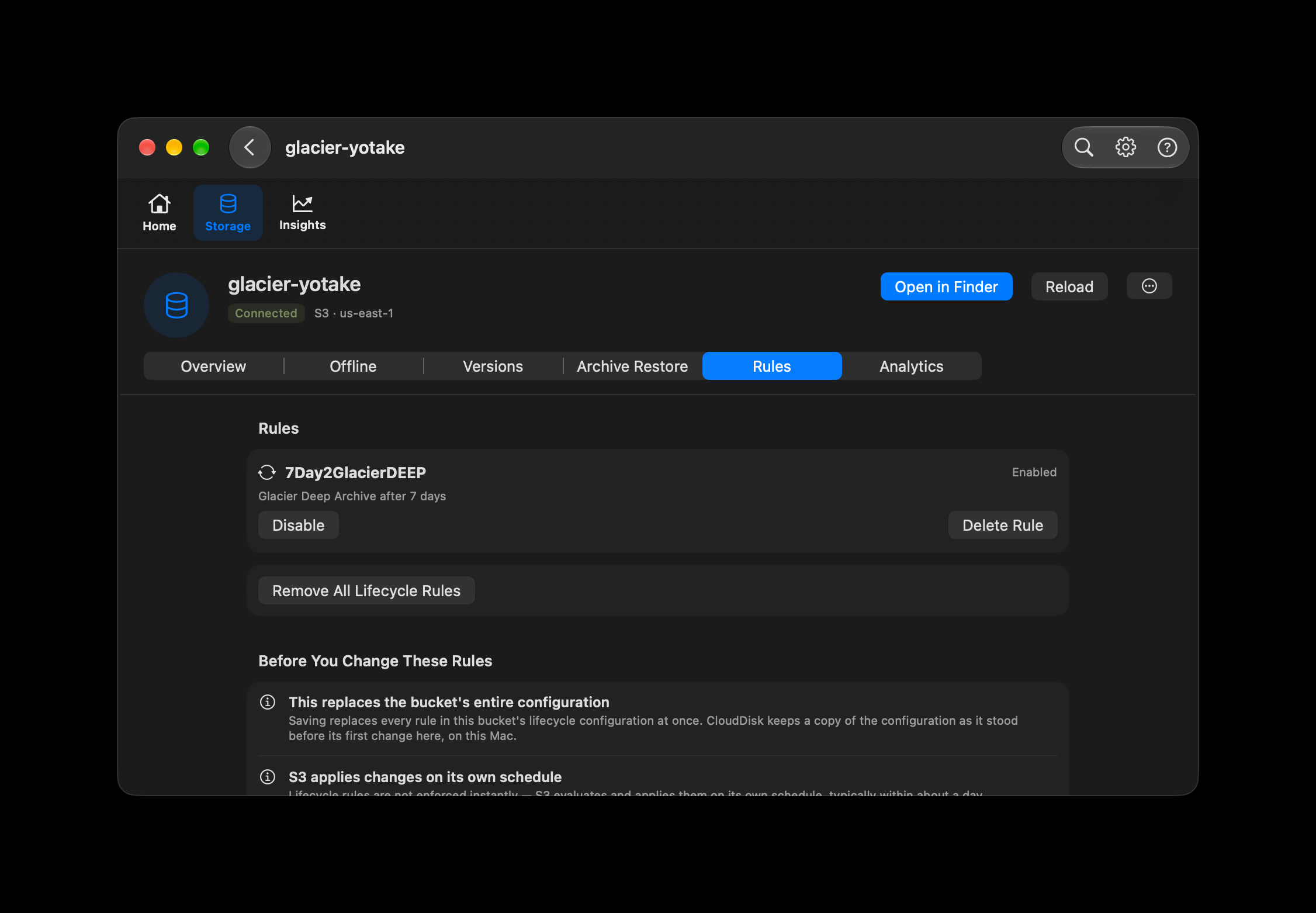
Read existing lifecycle rules and check whether each is enabled. For rules CloudDisk can safely edit, you can enable or disable a rule, delete a rule, or remove the lifecycle configuration after confirmation.
Read before changing
Open Storage → your bucket → Rules. Check the rule’s status and action before considering a change.
Understand this example
The pictured rule moves objects to Glacier Deep Archive after seven days. It is an existing rule in this bucket, not CloudDisk’s default policy. CloudDisk does not create that rule automatically.
Confirm changes deliberately
Changing or removing supported rules updates the remote bucket’s lifecycle configuration and requires write permissions. CloudDisk shows confirmation and disclosures before saving. Some configurations can be displayed only.
Consider archived playback
Lifecycle transitions are applied by S3 on its schedule. Archived videos may require restore before streaming, with retrieval charges and waiting time. Removing a rule does not restore already archived objects.
Find where your storage is going.
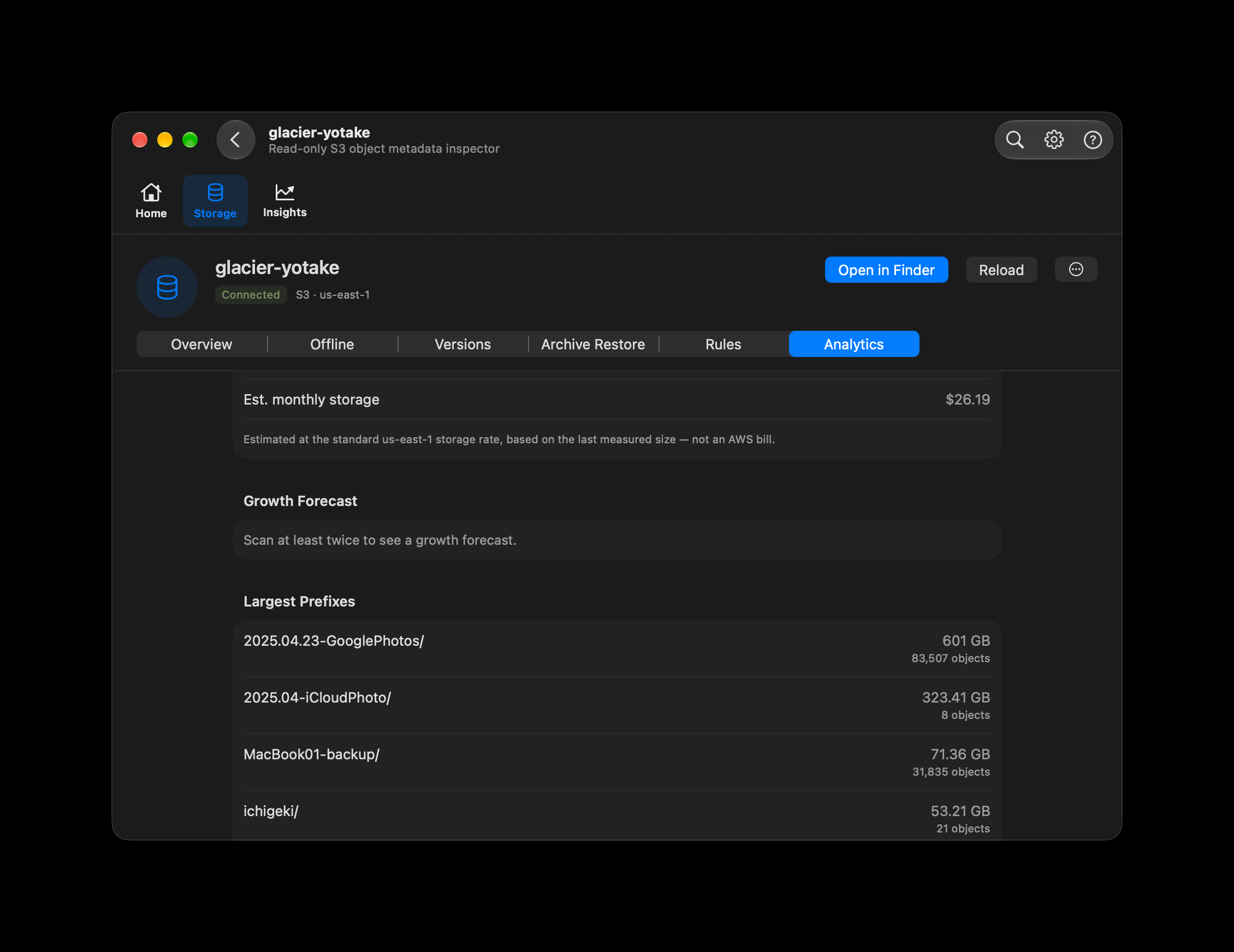
Analytics uses object metadata to rank the largest top-level prefixes by total size, with object counts alongside them. Use it to identify the archives worth reviewing first.
Inspect metadata
Open Storage → your bucket → Analytics and run the bucket size scan when needed. The scan lists object metadata to total sizes; it does not download video contents for this measurement. Listing requests may incur provider charges.
Look at the largest prefixes
The example identifies a photo archive using 601 GB and another using 323.41 GB. Prefixes group objects by the first path component; these figures help you choose what to inspect, not what to delete automatically.
Build a trend over time
A growth forecast needs at least two scans at different times. The screenshot asks for another scan and contains no calculated forecast. When available, the forecast is an estimate from recorded measurements, not a guarantee.
MP4 streaming remains the main feature
Keep videos in your S3 archive and start playback from Finder or Files. Read the streaming guide for the versions awaiting review and the platform-specific steps.
How to stream MP4 →